A picoCTF reversing challenge where the binary looked normal, acted suspicious, and was secretly wearing a UPX jacket.
For today’s challenge, we are doing packer, a medium-level reverse engineering challenge from picoCTF.
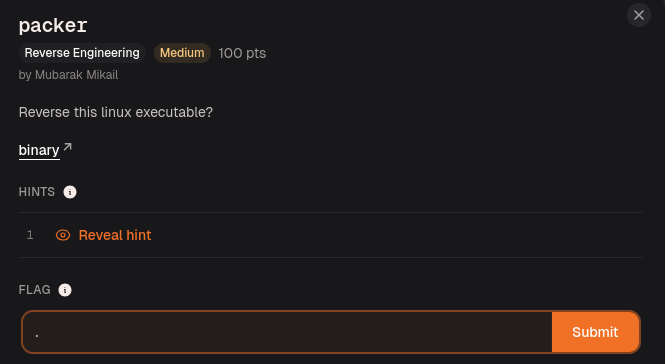
The description said:
Reverse this linux executable?
Was that a command?
Was that a question?
Was picoCTF also unsure?
Now I am confused too.
The challenge gave us a binary executable named:
out
So the first thing I did was check what kind of file it was.
file out

The file command showed that out is an ELF 64-bit executable.
At first, that sounds normal.
But the challenge name is literally packer, so I did not fully trust the binary yet.
A packer is something that compresses or wraps a program so the real code is hidden until the program runs. So from the outside, the binary may look like a normal executable, but inside it can mostly contain unpacking code instead of the actual program logic.
In normal human words:
The binary is wearing a hoodie.
Before reversing the real program, I need to check what hoodie it is.
Running the Binary First
Before jumping into Ghidra, I ran the program to see what it does.
chmod +x out
./out

The program asked for a password.
So now the situation was:
There is a binary called out.
It asks for a password.
The challenge is called packer.
The real program is probably packed.
At this point, I could have thrown it into Ghidra immediately.
But if a binary is packed, Ghidra may show me the unpacking stub instead of the real logic.
That means I might spend time reversing the wrapper instead of the actual program.
Basically, I would be interrogating the bodyguard while the real suspect is standing behind him eating snacks.
So before going full Ghidra mode, I checked whether this was packed with UPX.
Checking for UPX
Since the challenge is called packer, UPX was the first thing that came to mind.
UPX is a common executable packer. It compresses binaries, and when the program runs, the binary unpacks itself into memory before executing the real code.
Instead of dumping a huge strings output and trying to guess from chaos, I used a more direct check:
upx -t out
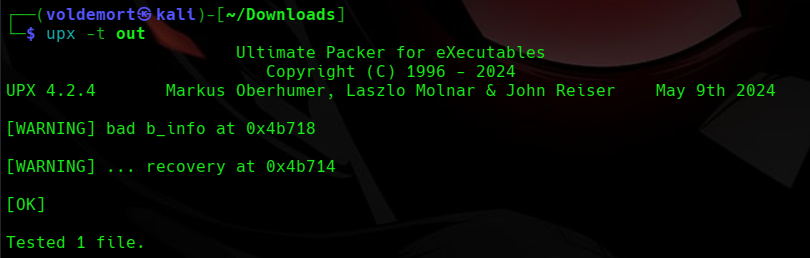
This confirmed that the binary was packed with UPX.
So the challenge name was not just being decorative.
The binary really was packed.
What Happens If We Do Not Unpack It?
This part is important.
If I try to reverse the packed binary directly, Ghidra can still open it, but the decompiler output may not show the real program clearly.
Instead of seeing the actual password/flag logic, I would mostly be looking at the UPX unpacking code.
That can make the challenge look harder than it really is.
The program is basically saying:
You want to reverse me?
Cool.
First reverse my packaging.
But since this is UPX, we do not need to manually unpack it from memory or do anything painful yet.
UPX can usually unpack normal UPX-packed binaries by itself.
So the correct move was to remove the wrapper first.
Unpacking the Binary
I unpacked it with:
upx -d out
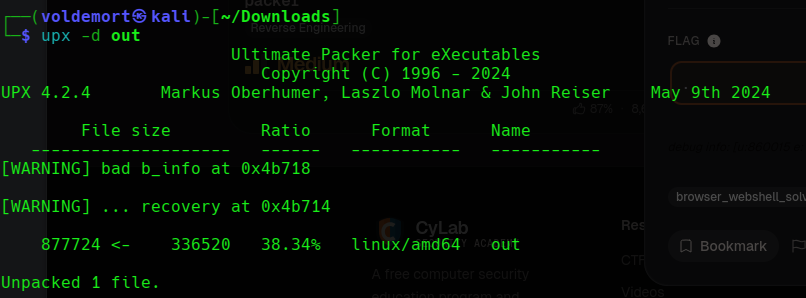
After unpacking, I checked the file again.
file out

Now the binary was unpacked.
That means Ghidra should have a much easier time showing the actual program logic.
So now it was finally time to reverse the real thing.
Opening the Binary in Ghidra
I opened Ghidra and imported the unpacked out binary.
File -> Import File -> out
Then I let Ghidra analyze it.
Analyze -> Yes
After the analysis finished, I went to:
Symbol Tree -> Functions -> main
and opened the main() function.
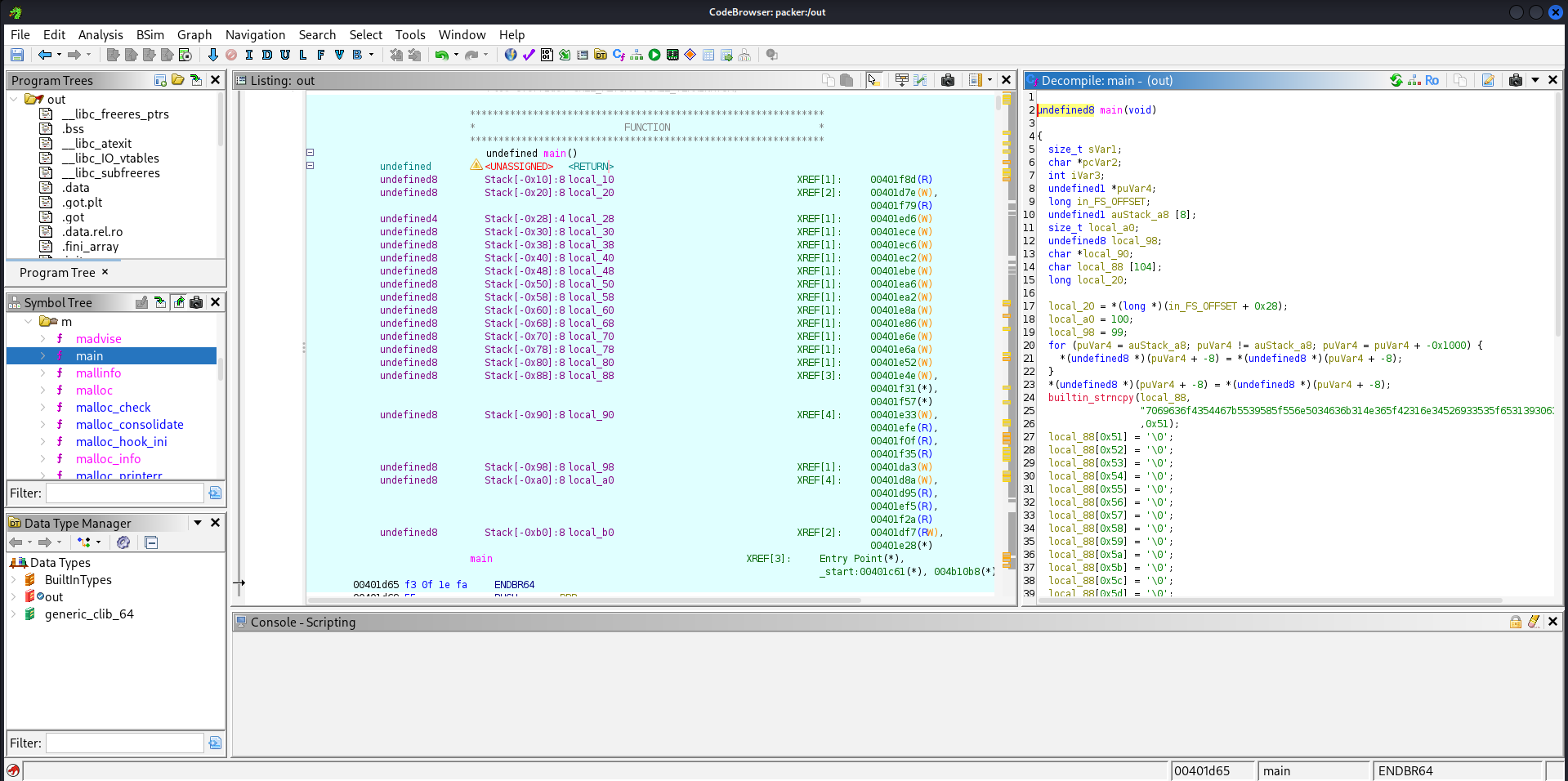
This was much better than trying to inspect the packed version directly.
Now Ghidra showed the real program logic instead of just the UPX unpacking code.
Inside main(), I did not immediately see a clean readable flag like:
picoCTF{...}
Instead, I saw a long hex-looking string being copied into a local variable using builtin_strncpy().
The line looked like this:
builtin_strncpy(local_88,
"7069636f4354467b5539585f556e5034636b314e365f42316e34526933535f65313930633366337d",
0x51);
At first, this looked like random numbers and letters.
But the beginning stood out:
7069636f4354467b
I recognized this pattern because hex can represent ASCII characters.
Breaking it into bytes:
70 69 63 6f 43 54 46 7b
decodes to:
picoCTF{
That was the moment the challenge started making sense.
The flag was not shown directly as readable text.
It was stored as a hex string.
Decoding the Hex String
I copied the full hex string from Ghidra and decoded it with xxd.
echo 7069636f4354467b5539585f556e5034636b314e365f42316e34526933535f65313930633366337d | xxd -r -p

Breaking that command down:
echo <hex_string>
prints the hex string.
xxd -r -p
converts plain hex back into raw text.
The -r means reverse the hex dump.
The -p means plain hex format.
So the command basically says:
Take this hex.
Turn it back into readable text.
And that gave the flag.
Flag
picoCTF{U9X_UnP4ck1N6_B1n4Ri3S_e190c3f3}
Final Solve Flow
The solve flow was:
Check the binary with file.
Run the program and see it asks for a password.
Notice the challenge name is packer.
Check for UPX using upx -t.
Unpack the binary using upx -d.
Open the unpacked binary in Ghidra.
Go to main().
Find the hex-looking flag string.
Decode the hex with xxd.
Get the flag.
Closing Thoughts
This challenge was a good reminder that reverse engineering is not always about immediately understanding the password check.
Sometimes the first step is realizing that the thing you are reversing is not the real thing yet.
The packed binary was hiding the actual program logic behind UPX.
Once I unpacked it, Ghidra showed the real main() function much more clearly.
Then the final trick was noticing that the flag was stored as hex and decoding it.
So when the description asked:
Reverse this linux executable?
the real answer was:
Sure.
But first, unpack the hoodie.
Then decode the receipt inside.
No password cracking.
No scary encryption.
Just UPX, Ghidra, and one hex string pretending it was more mysterious than it actually was.